Tech · Beginner to Advanced · Handwritten PDF notes
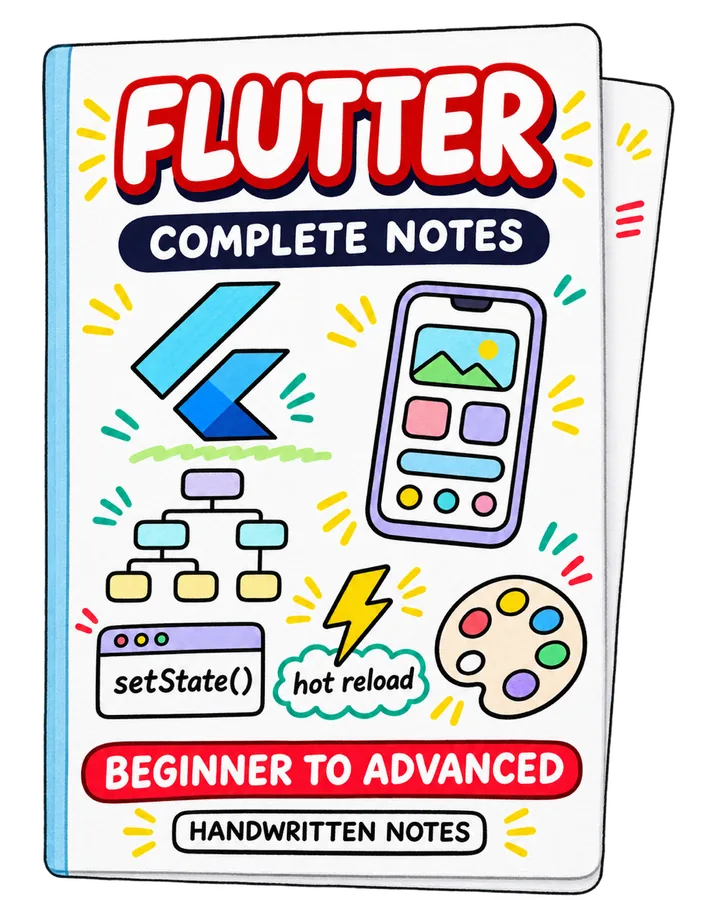
Flutter Complete Notes
Instant PDF download after payment. Pay once, keep forever.
- Instant download
- Lifetime access
- UPI, GPay, PhonePe, cards
Complete coverage
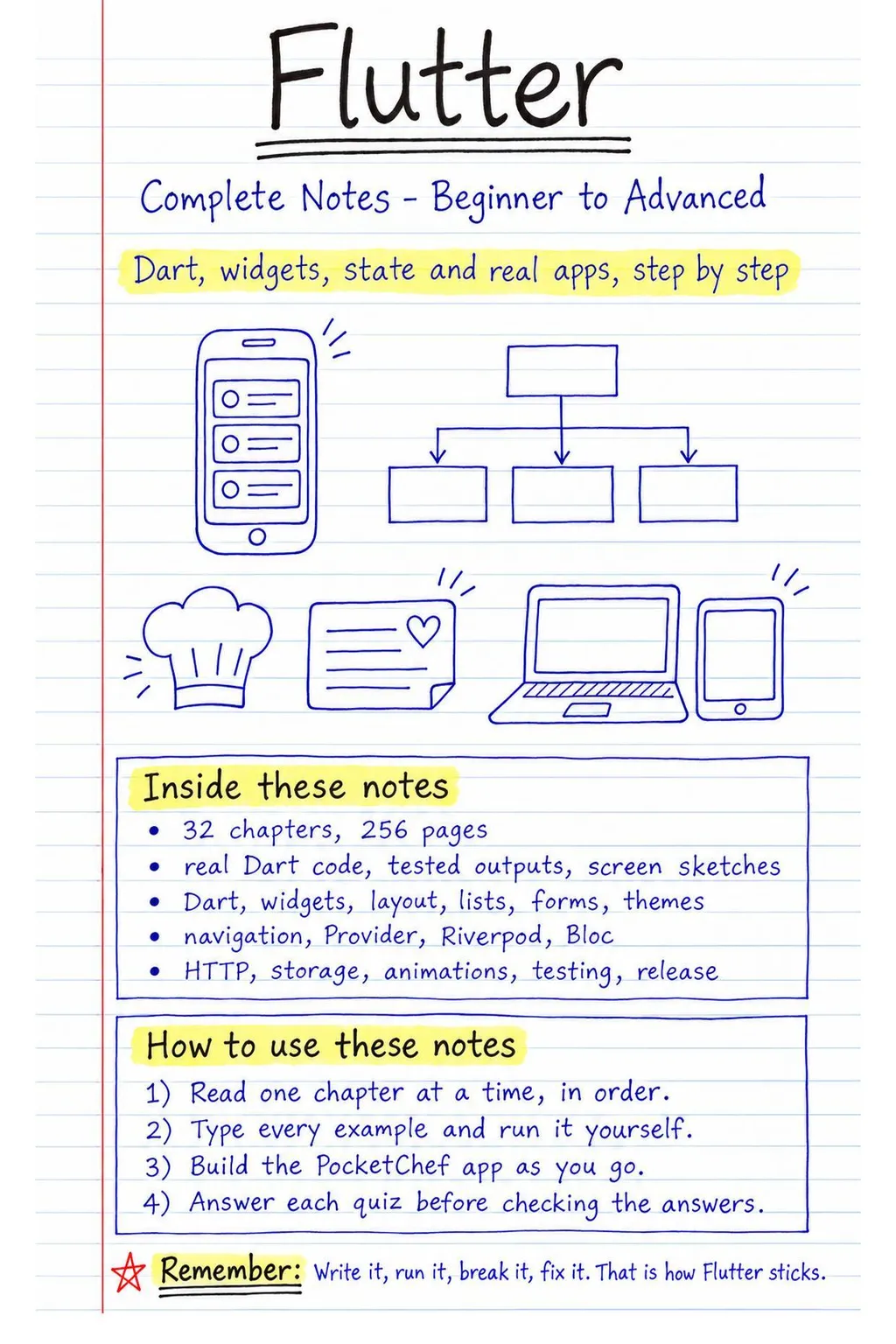
What you learn in all 32 chapters
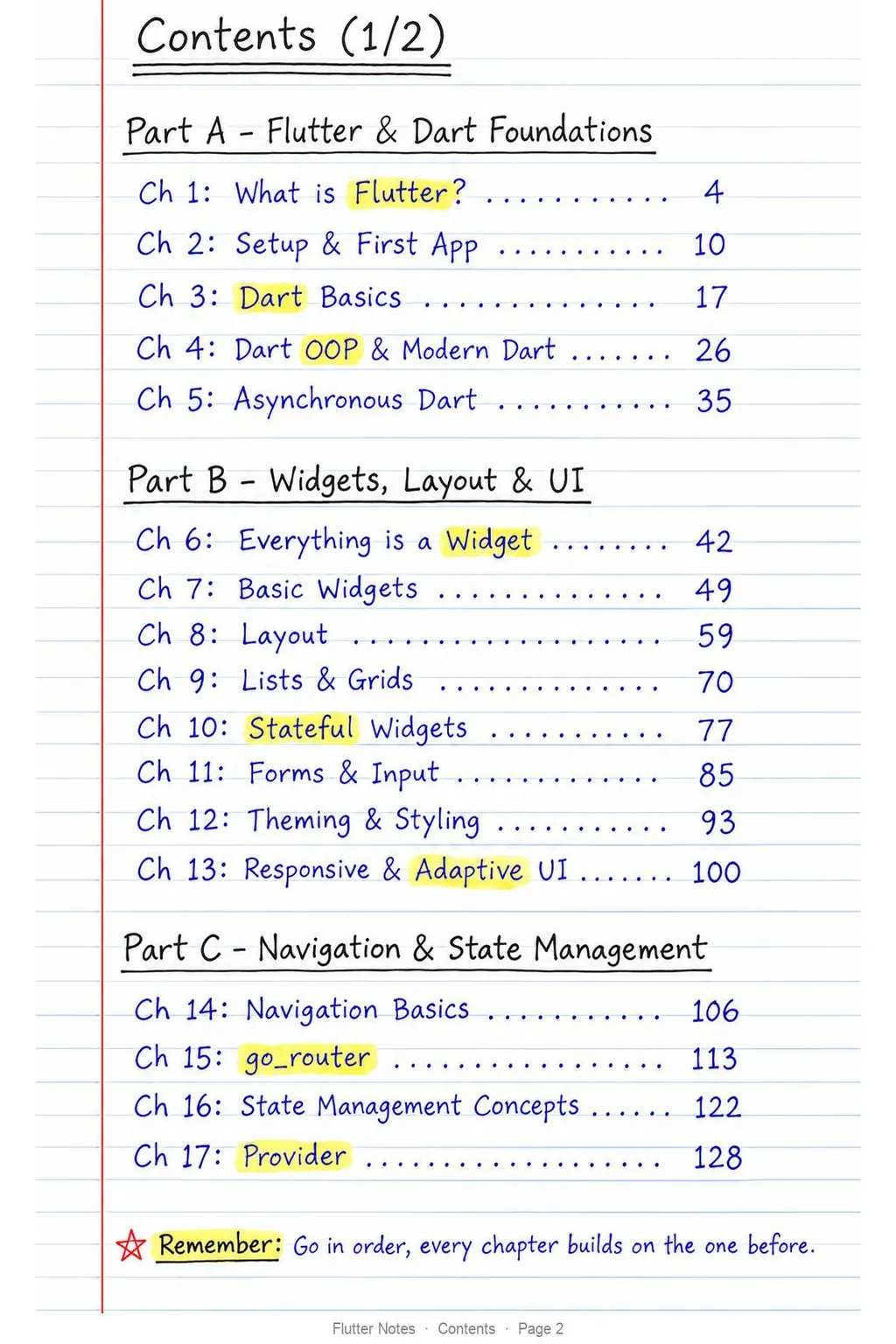
Open any chapter to see every topic it covers and the page it is on.
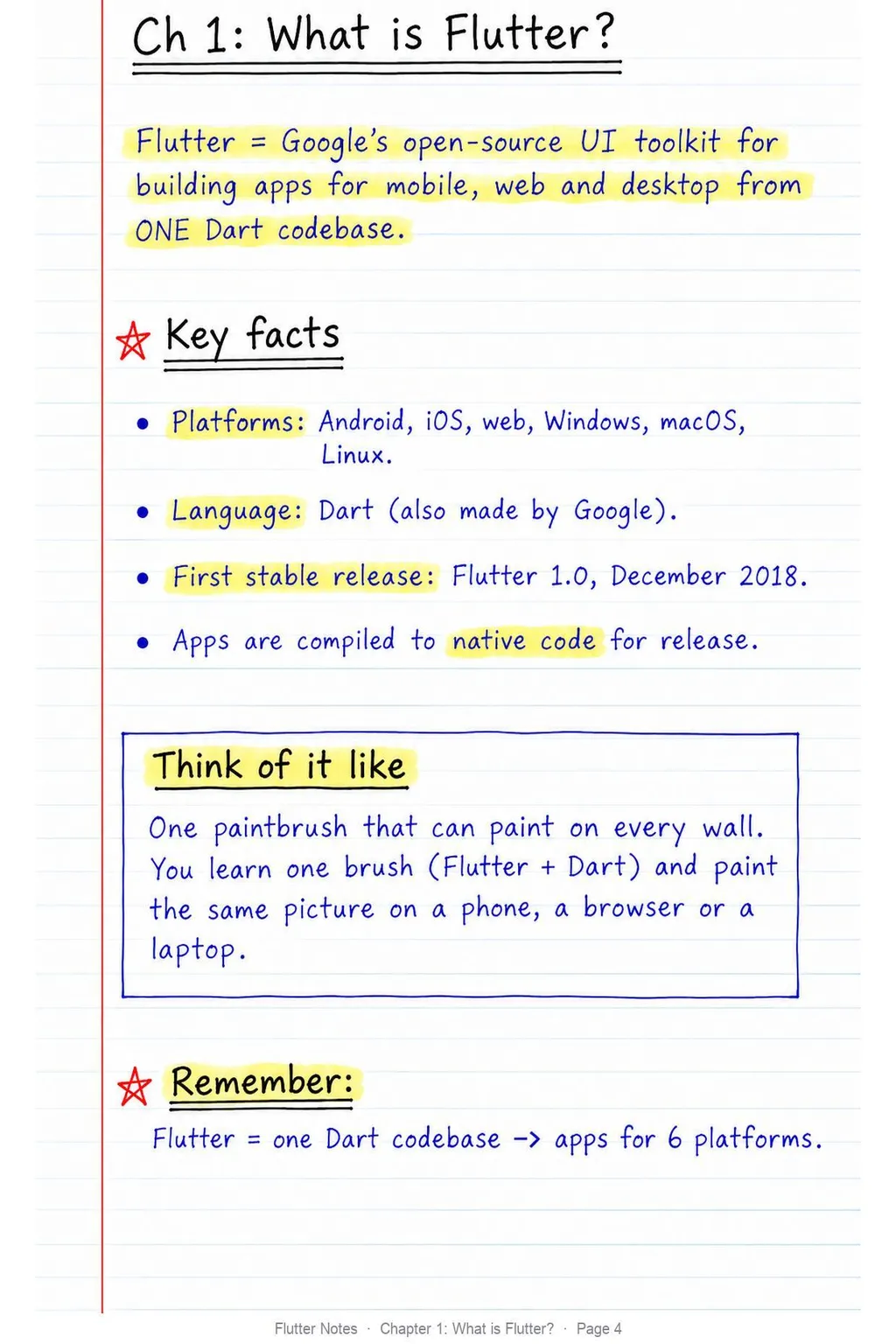
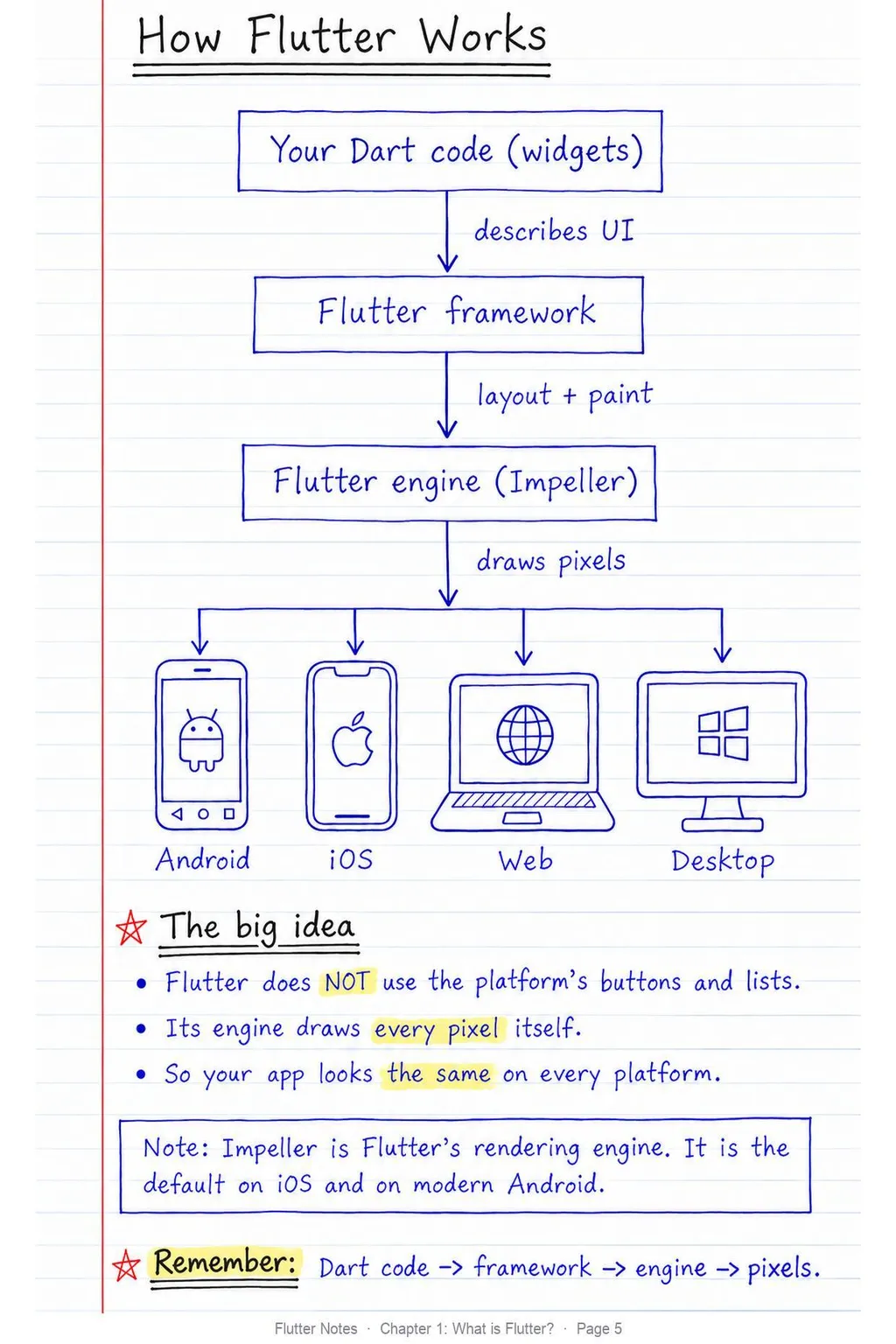
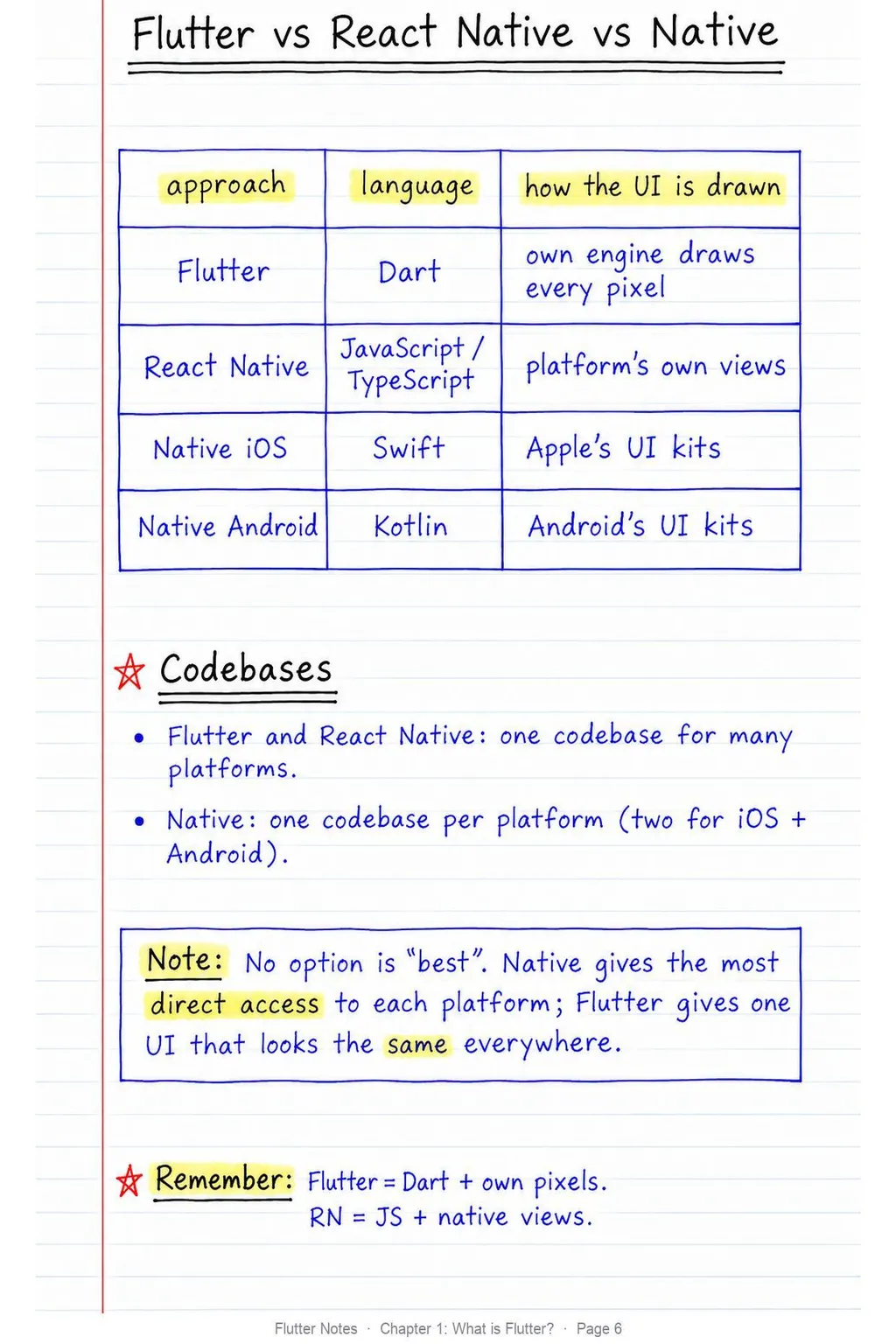
Understand what Flutter is: how it works, Flutter versus React Native versus native, what you can build, hot reload and the PocketChef running example.
Set up and run your first app: install Flutter and run flutter doctor, create the PocketChef project, read the project layout and main.dart, add packages in pubspec.yaml and tell hot reload from hot restart.
Learn Dart basics: hello world, var, final and const, types and string interpolation, null safety with ?, ! and ??, if and switch expressions, loops, named and optional parameters, and lists, maps and sets with recipes.
Use object-oriented and modern Dart: classes and constructors, named and factory constructors, inheritance and abstract classes, implements and mixins, enums, extension methods, records and patterns, sealed classes and exhaustive switch.
Write asynchronous Dart: why async matters and the event loop, Future with async and await, try and catch, Future.wait, streams with async* and await for, StreamController and Isolate.run.
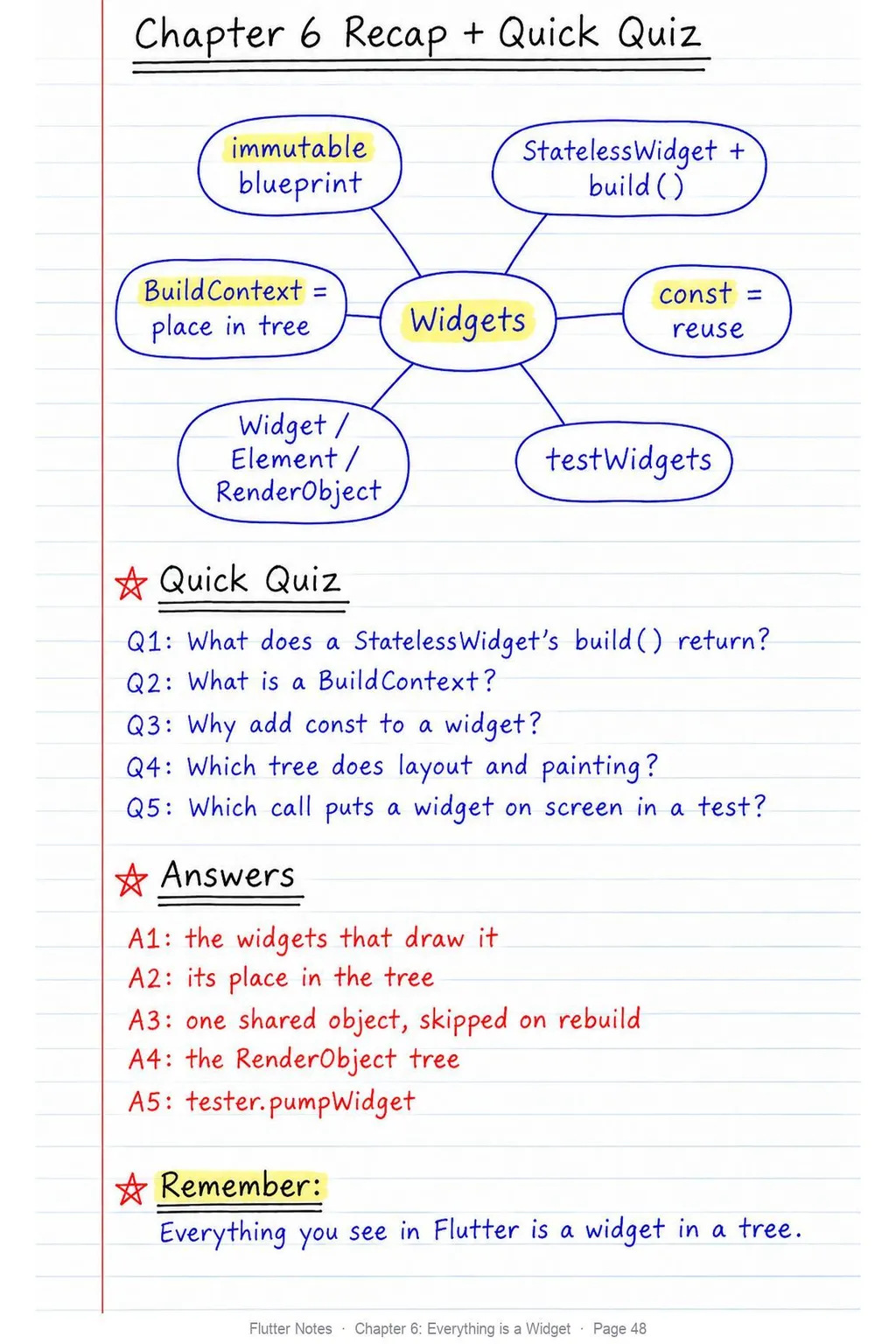
See why everything is a widget: widgets as building blocks, StatelessWidget and build(), BuildContext, const widgets, the three trees and your first widget test.
Build screens with basic widgets: MaterialApp and Scaffold, AppBar, Text and TextStyle, Icon and Image, Container with padding, margin and decoration, buttons, Card and ListTile, SnackBar and showDialog.
Master layout: the layout rule, Row and Column, alignment, Expanded and Flexible, SizedBox, Padding and Spacer, Center and Align, Stack and Positioned, overflow stripes and Wrap, then build the recipe card in two parts.
Show collections of items: ListView with children, ListView.builder, ListView.separated, GridView.count and GridView.builder, tapping a row with onTap and SnackBar, and slivers in one picture.
Add interaction with stateful widgets: stateless versus stateful, StatefulWidget and State with a heart button, setState and rebuilds, the State lifecycle, testing the toggle, keys for lists and lifting state up.
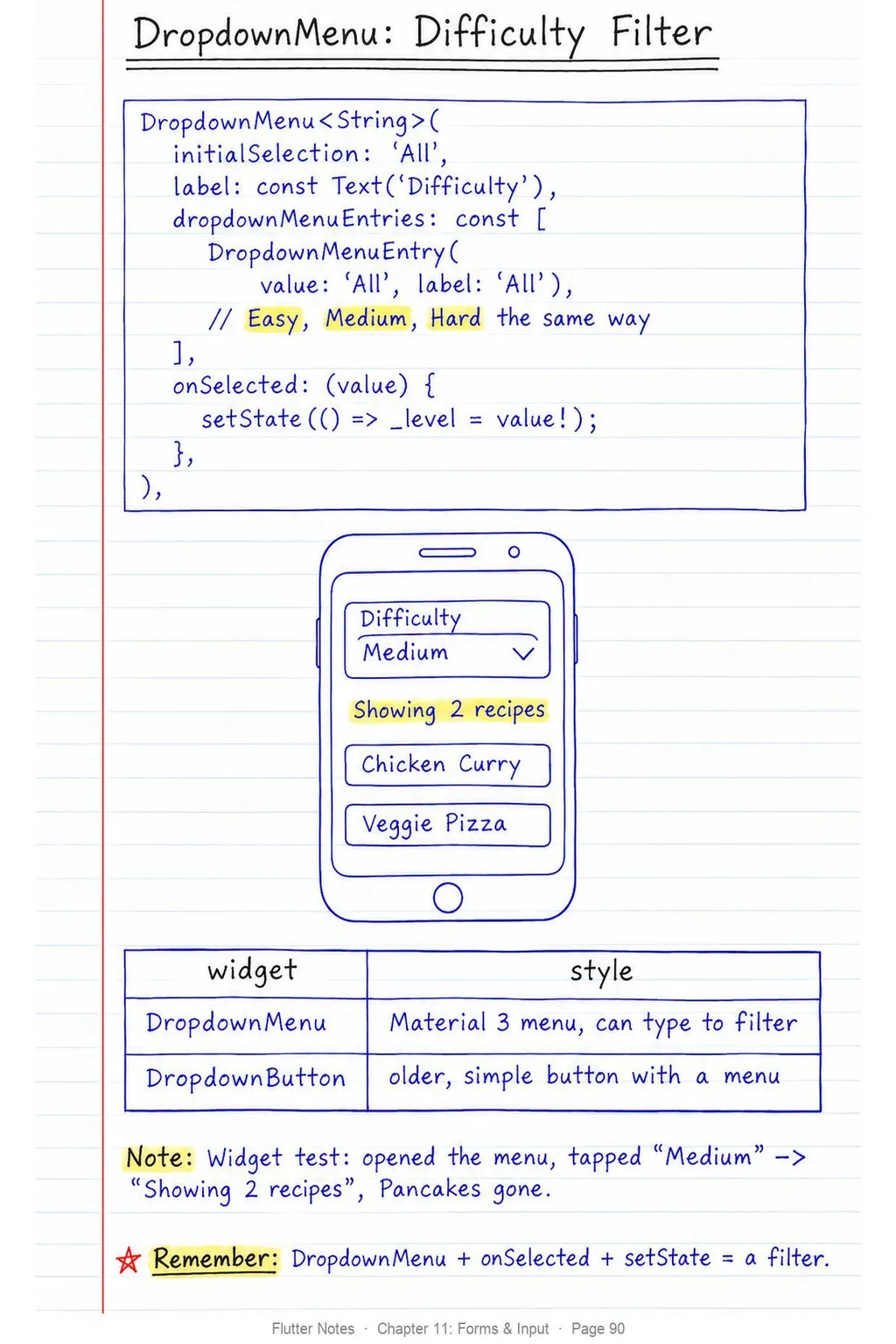
Collect user input: TextField and onChanged, TextEditingController and dispose, Form with GlobalKey and validator, submitting and showing errors, Checkbox, Switch and Slider, a DropdownMenu difficulty filter, keyboard types and focus.
Style your app with themes: ThemeData and Material 3, ColorScheme.fromSeed, text themes with Theme.of(context), dark mode with darkTheme and themeMode, custom fonts and assets in pubspec and component themes.
Make your UI fit any screen: responsive versus adaptive design, MediaQuery.sizeOf, LayoutBuilder and breakpoints, adaptive widgets and platform checks, safe areas and orientation.
Move between screens: the Navigator stack, Navigator.push with MaterialPageRoute, passing data to a screen, returning a result with pop, a widget test of navigation and named routes versus router packages.
Route with go_router: why use a router package, GoRouter setup with MaterialApp.router, PocketChef routes, path parameters, context.go versus context.push, redirect for login and bottom navigation with StatefulShellRoute.
Understand state management concepts: what state is, the prop drilling problem, the InheritedWidget idea, the available options and how to choose one.
Manage state with Provider: ChangeNotifier with FavoritesModel, ChangeNotifierProvider at the top, context.watch versus context.read, Consumer and Selector, MultiProvider and testing a ChangeNotifier.
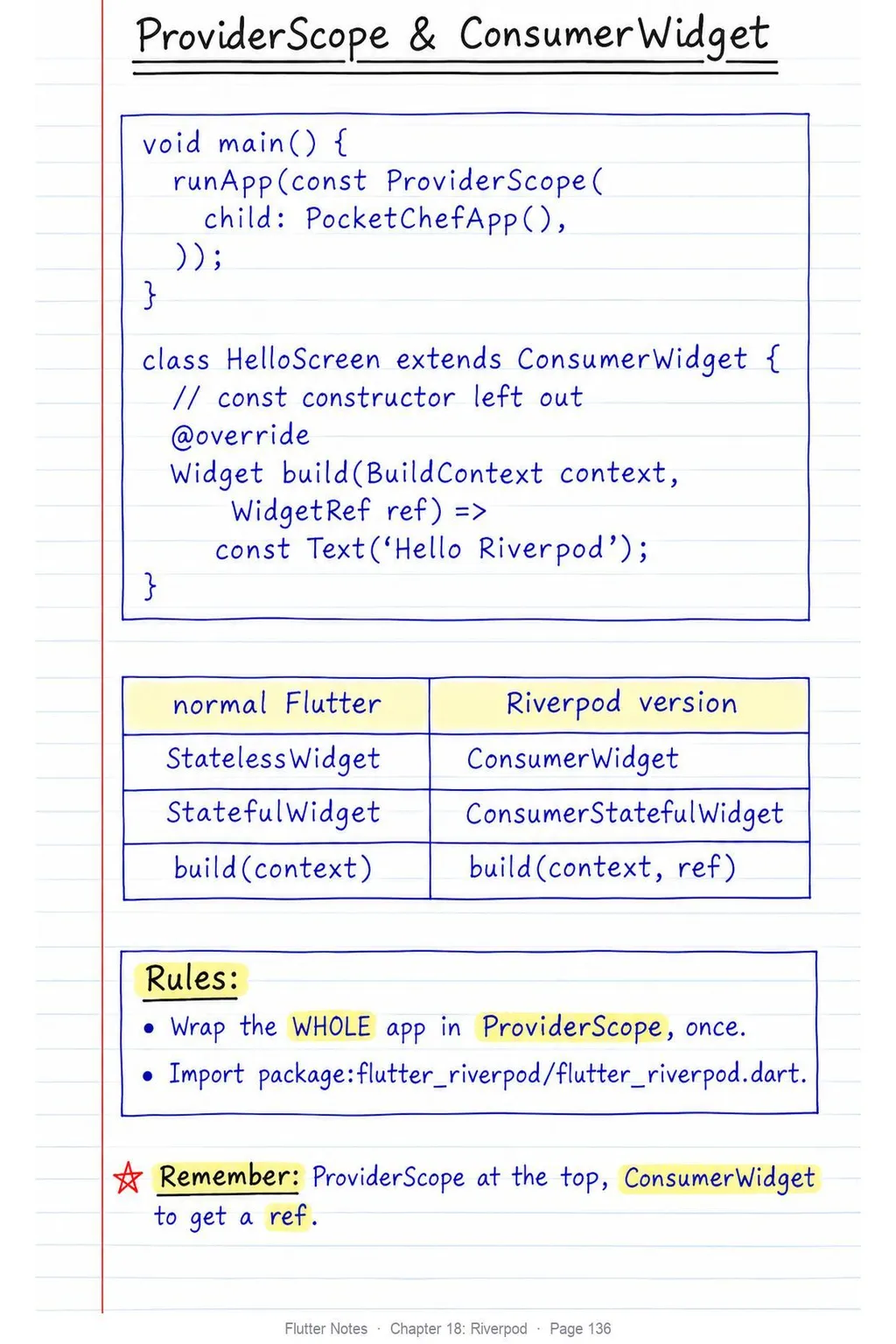
Manage state with Riverpod: providers outside the tree, ProviderScope and ConsumerWidget, ref.watch, Notifier and NotifierProvider for favourites, FutureProvider with AsyncValue.when, ref.read and ref.listen, family and testing with ProviderContainer.
Manage state with Bloc and Cubit: the Bloc pattern, a Cubit with emit for a servings counter, BlocProvider and BlocBuilder, Bloc with events and states, drawing each state with switch, BlocListener and testing with bloc_test.
Fetch data over HTTP: the path from server to screen, the local PocketChef API, http.get and status codes, jsonDecode and Recipe.fromJson, a RecipeApi class, FutureBuilder states, handling errors and 404, and testing with MockClient.
Generate JSON code: hand-written versus generated serialization, json_serializable setup, @JsonSerializable and the part file, running build_runner, nested JSON and renamed fields with @JsonKey.
Store data on the device: where data lives on the phone, saving dark mode with shared_preferences, reading on start, sqflite databases and tables, inserting, querying, updating and deleting favourites, and a repository class.
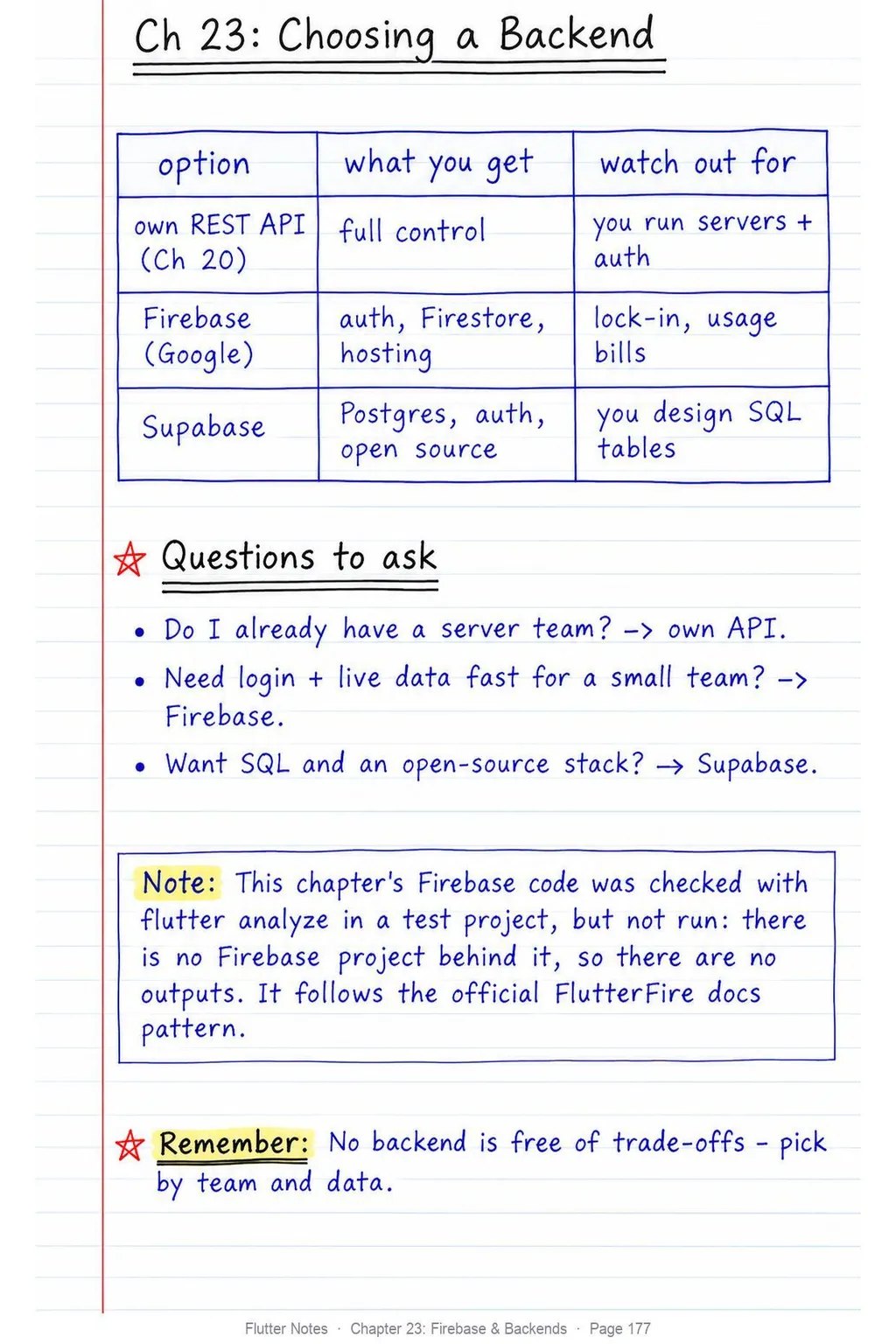
Connect a backend with Firebase: choosing a backend, FlutterFire setup, Firebase Auth sign-in flow, Cloud Firestore reads and writes, security rules and costs.
Bring your UI to life with animations: implicit versus explicit, AnimatedContainer, AnimatedOpacity and curves, TweenAnimationBuilder, Hero, AnimationController and Tween, AnimatedBuilder, page transitions and tips.
Handle touch and draw your own graphics: GestureDetector versus InkWell, dragging with onPanUpdate, Dismissible swipe to delete, CustomPaint and CustomPainter, using the painter and tips.
Use packages and talk to the platform: pub.dev and choosing packages, adding and importing them, plugins versus pure Dart packages, MethodChannel, permissions and platform config files, platform checks and adaptive widgets.
Test Flutter apps: the test pyramid, unit tests, widget tests with find and expect, tap, enterText, pump versus pumpAndSettle, mocking with mocktail, testing async code, golden tests and integration tests on a device.
Find and fix slowness: debug versus profile versus release, a DevTools tour, fewer rebuilds with const and small widgets, long lists with builder and itemExtent, images and caching, jank, RepaintBoundary and Isolate.run.
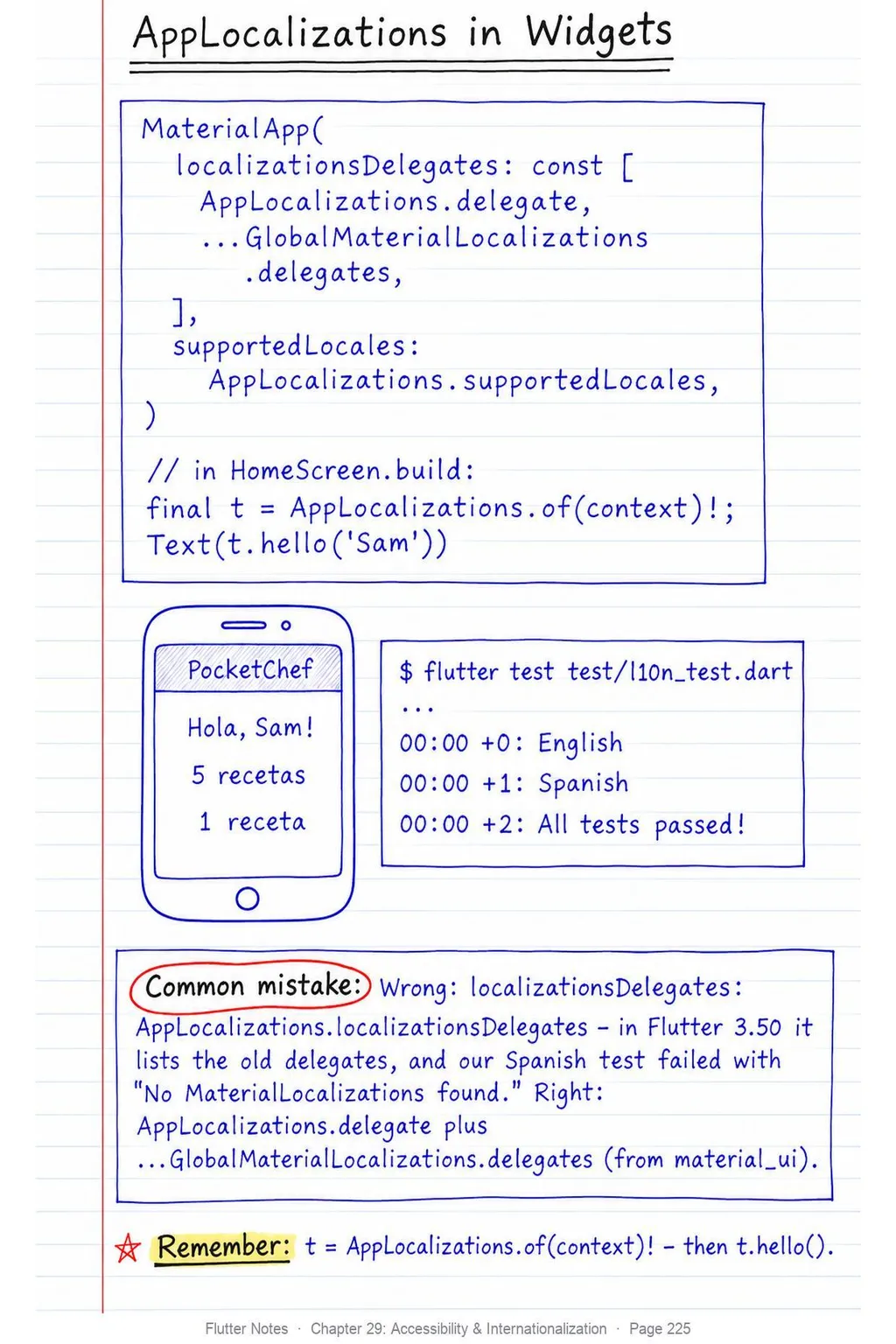
Make your app usable by everyone: accessibility basics, text scaling and contrast, i18n setup, ARB translation files, AppLocalizations in widgets, and DateFormat and NumberFormat.
Build and release your app: build modes and targets, app name, icon and version, Android release with AAB and signing, iOS release with Xcode and App Store Connect, web and desktop builds, obfuscation, flavors and CI.
Put it all together in the PocketChef project: layout, models and API client, providers, the router with HomeShell and tabs, recipe list and detail screens, favourites and shopping list, settings, tests and what to add next.
Prepare for interviews and plan your next steps: Q&A on widgets, layout, Dart, navigation, state, data, storage, tests and release, a widgets cheat sheet, the top 10 mistakes, a learning roadmap and the whole app on one page.
Watch before you buy
Students on All Notes PDF
Real students talking about how they revise with our handwritten notes.
How it works
Get your notes in 3 easy steps
No app, no waiting. The whole thing takes under a minute.
- STEP 110 sec
Choose your notes
One subject, any two, or a full class set.
- STEP 230 sec
Pay with UPI or card
GPay, PhonePe, Paytm or card. Pay once, no subscription.
- STEP 3Instant
Download your PDFs
Tap Download on any chapter. Links never expire.
- Log in
- My library
- Download
What you get
- Format
- Downloadable PDF (not a printed book)
- Chapters
- 32 chapters in one 256 page PDF
- Level
- Flutter from beginner to advanced. No experience needed
- Style
- Handwritten-style notes with diagrams, code explained line by line, common mistakes and quizzes
- Devices
- Phone, tablet and laptop. Print any chapter if you like
- Access
- Lifetime. Download again anytime from My library
- Instant downloadRight after payment
- Free updatesCorrections added free
- Secure paymentUPI, cards, net banking