Tech · Beginner to Advanced · Handwritten PDF notes
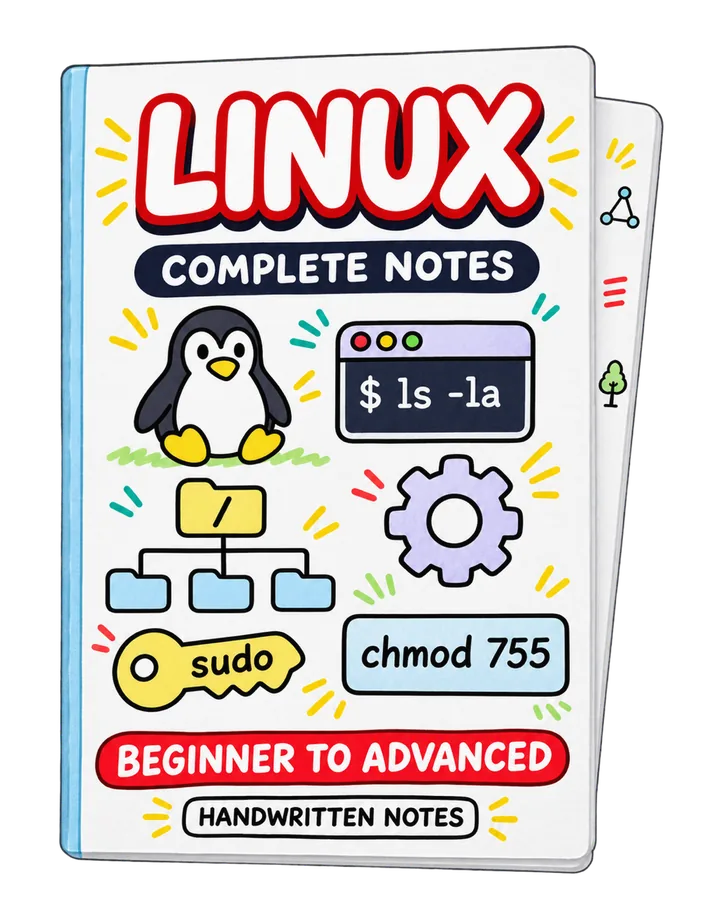
Linux Complete Notes
Instant PDF download after payment. Pay once, keep forever.
- Instant download
- Lifetime access
- UPI, GPay, PhonePe, cards
Complete coverage
What you learn in all 22 chapters
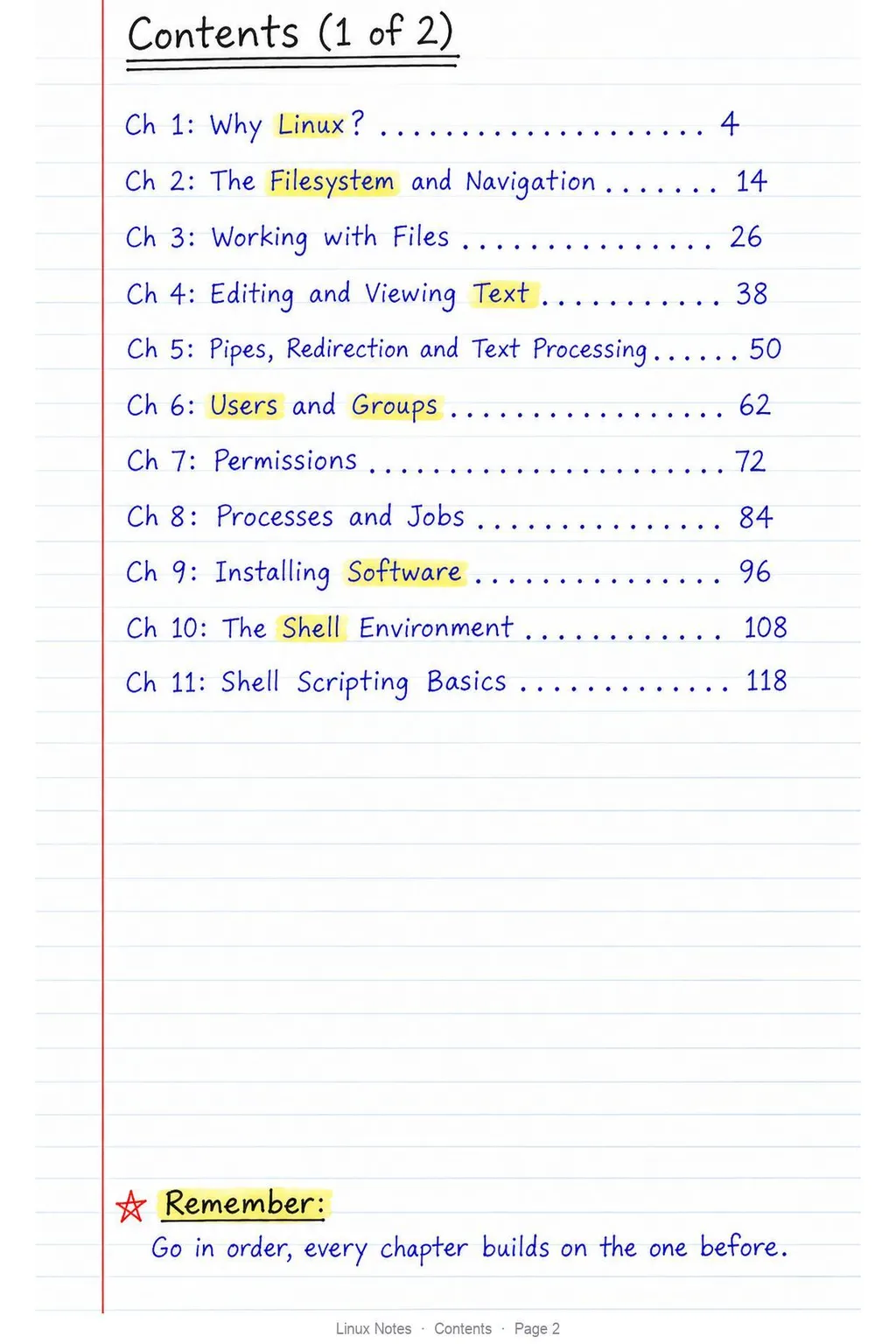
Open any chapter to see every topic it covers and the page it is on.
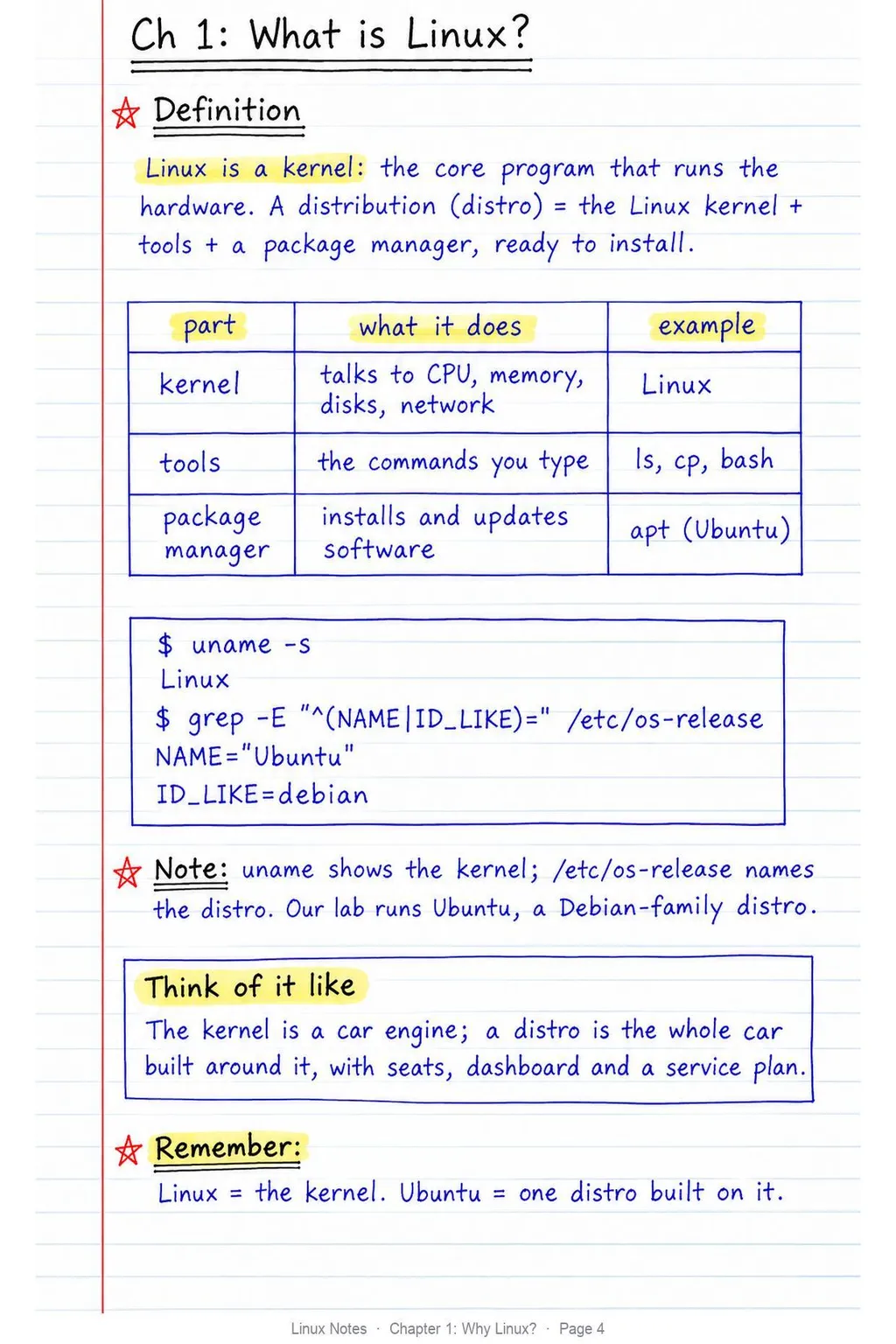
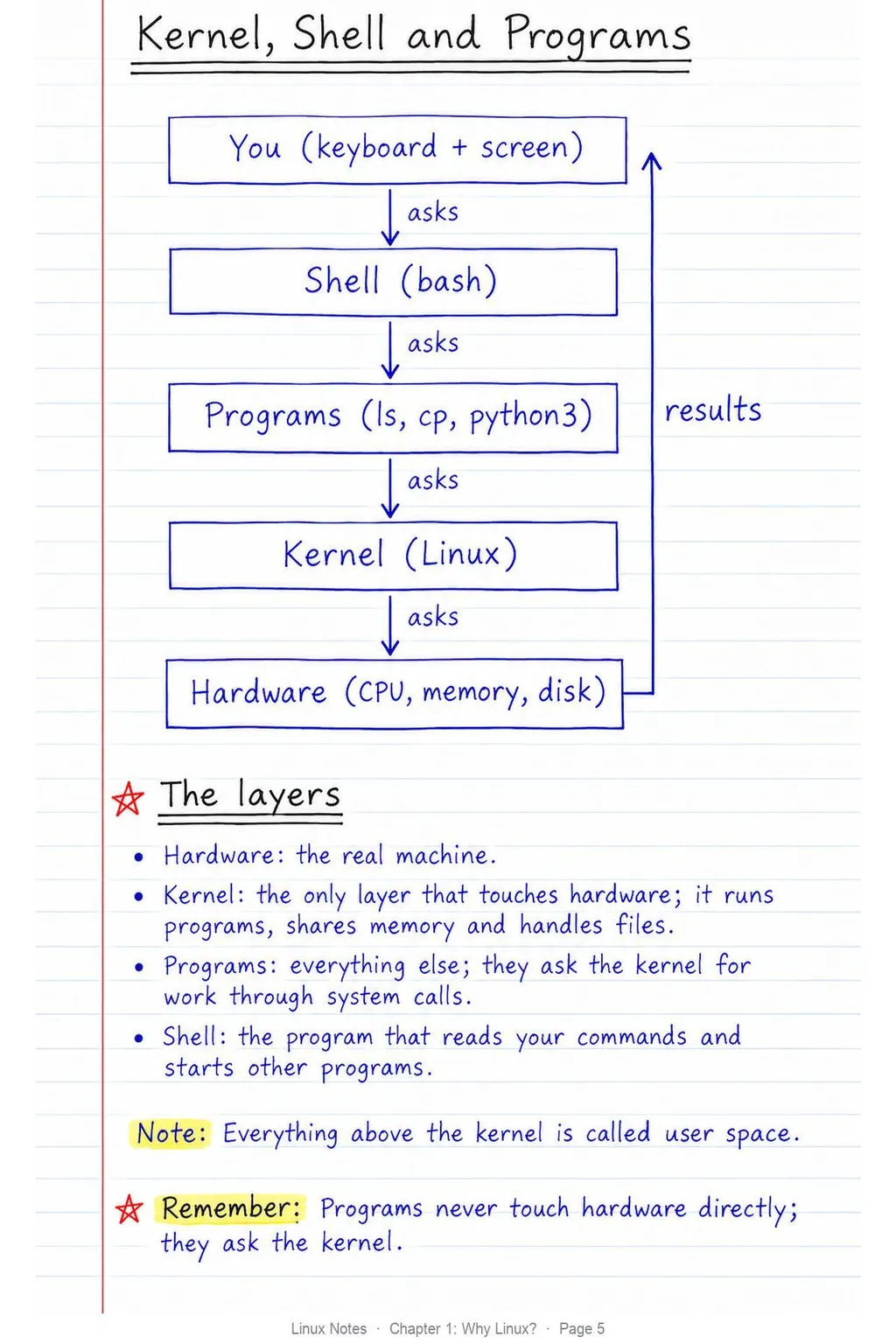
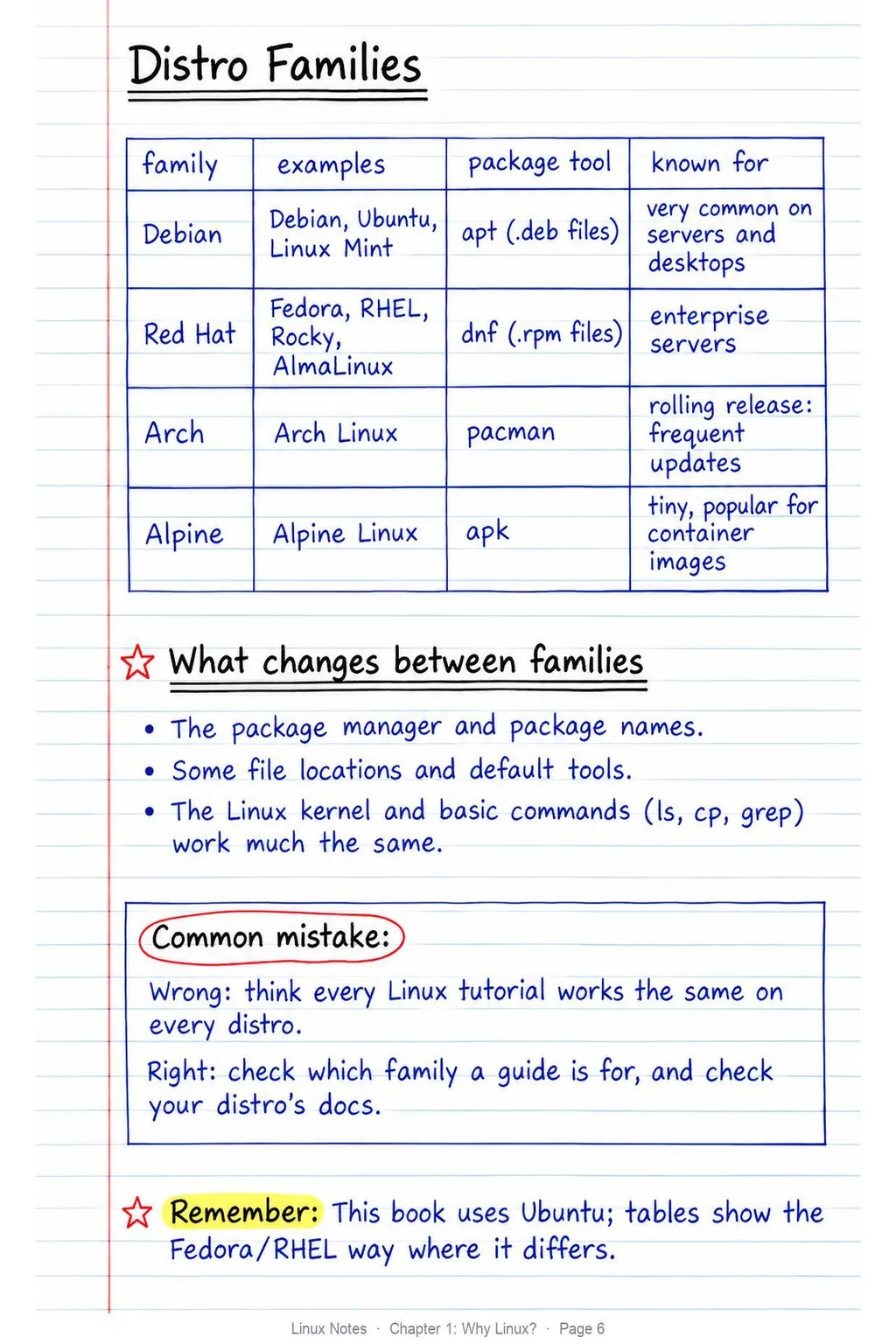
Get started with Linux: what it is, the kernel, shell and programs, distro families, where Linux runs, terminal versus shell, an Ubuntu container lab, first commands, man and --help, and the CafeLog project.
Navigate the filesystem: the single tree from /, key directories, pwd and cd, absolute versus relative paths, ls, dotfiles, file types, wildcards, brace expansion, tab completion, quoting and the /srv/cafelog layout.
Work with files: touch, mkdir -p, cp, mv, rm, hard versus symbolic links, inodes, cat, less, head, tail, tail -f, find, which, type, whereis, file, tar and gzip.
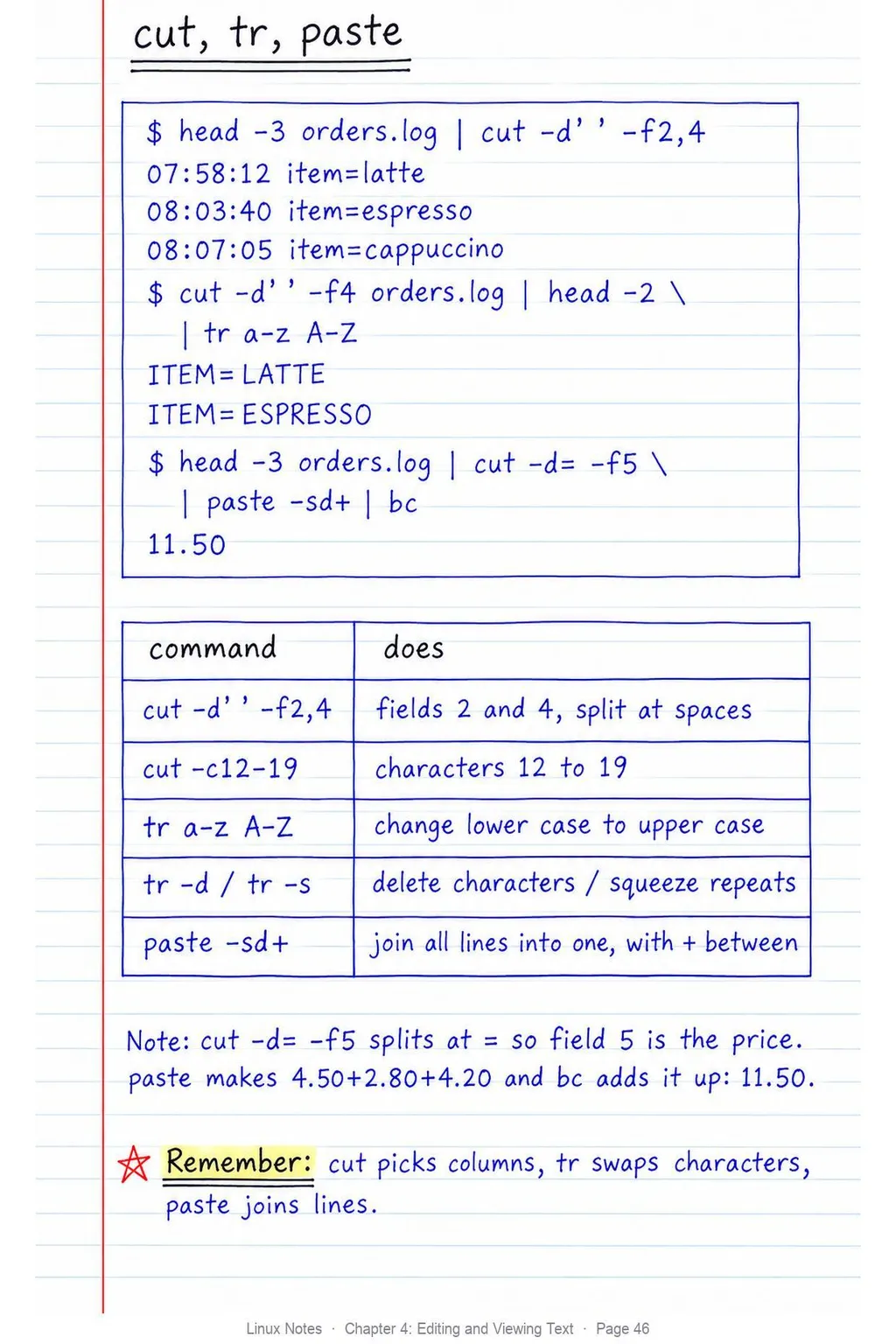
Edit and inspect text: nano and vim basics, vim modes, movement keys, saving and quitting, search and replace, safe config edits, wc, sort, uniq, cut, tr, paste, diff and counting CafeLog orders.
Chain tools with pipes and redirection: stdin, stdout and stderr, redirect operators, pipes, tee, xargs, grep options, regular expressions, grep -E and -o, sed, awk fields and sums, and useful one-liners.
Manage users and groups: UIDs and root, /etc/passwd and /etc/shadow, primary versus supplementary groups, useradd and adduser, usermod and passwd, su versus sudo, visudo, id, who and last, and a CafeLog system user.
Control access with permissions: read, write and execute, reading ls -l, chmod symbolic and numeric, chown and chgrp, directory permissions, umask, setuid, setgid, the sticky bit, ACLs and locking down /srv/cafelog.
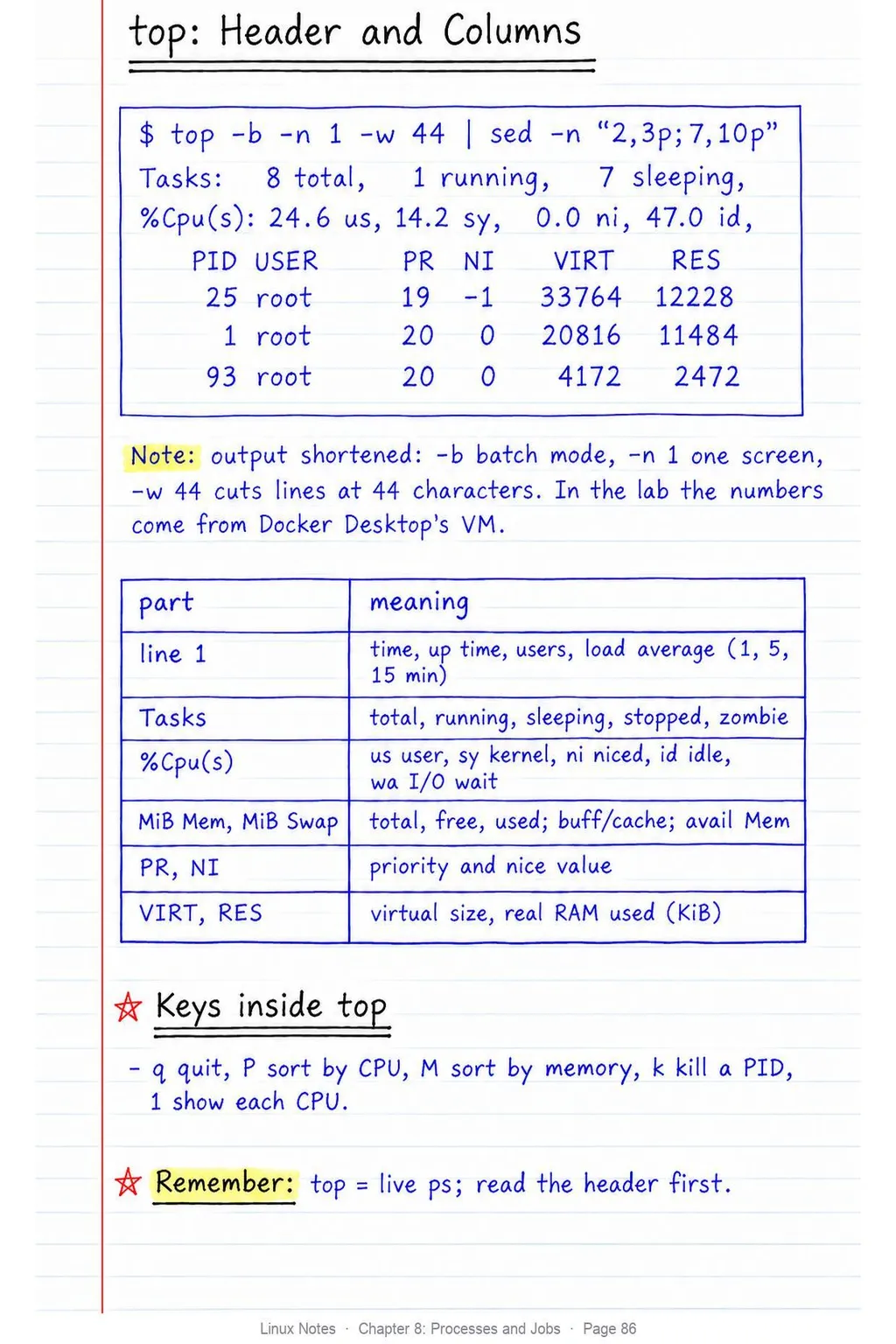
Manage processes and jobs: ps and top, the process tree, PID 1 and orphans, signals, kill and pkill, background jobs, nohup, nice and renice, /proc/PID and exit codes with $?.
Install and update software: packages and repositories, apt update versus upgrade, install, remove and purge, searching, dpkg, local .deb files, apt versus dnf, adding repositories, Snap, Flatpak and AppImage, and safe updates.
Shape your shell environment: bash, sh, dash and zsh, shell versus environment variables, export, env, PATH, .bashrc versus .profile, aliases and functions, the PS1 prompt, command substitution, arithmetic and history tricks.
Write shell scripts: your first script, variables and quoting, arguments, read, if and test, [[ ]], case, for, while and until loops, functions with local and return values, and strict mode with set -euo pipefail.
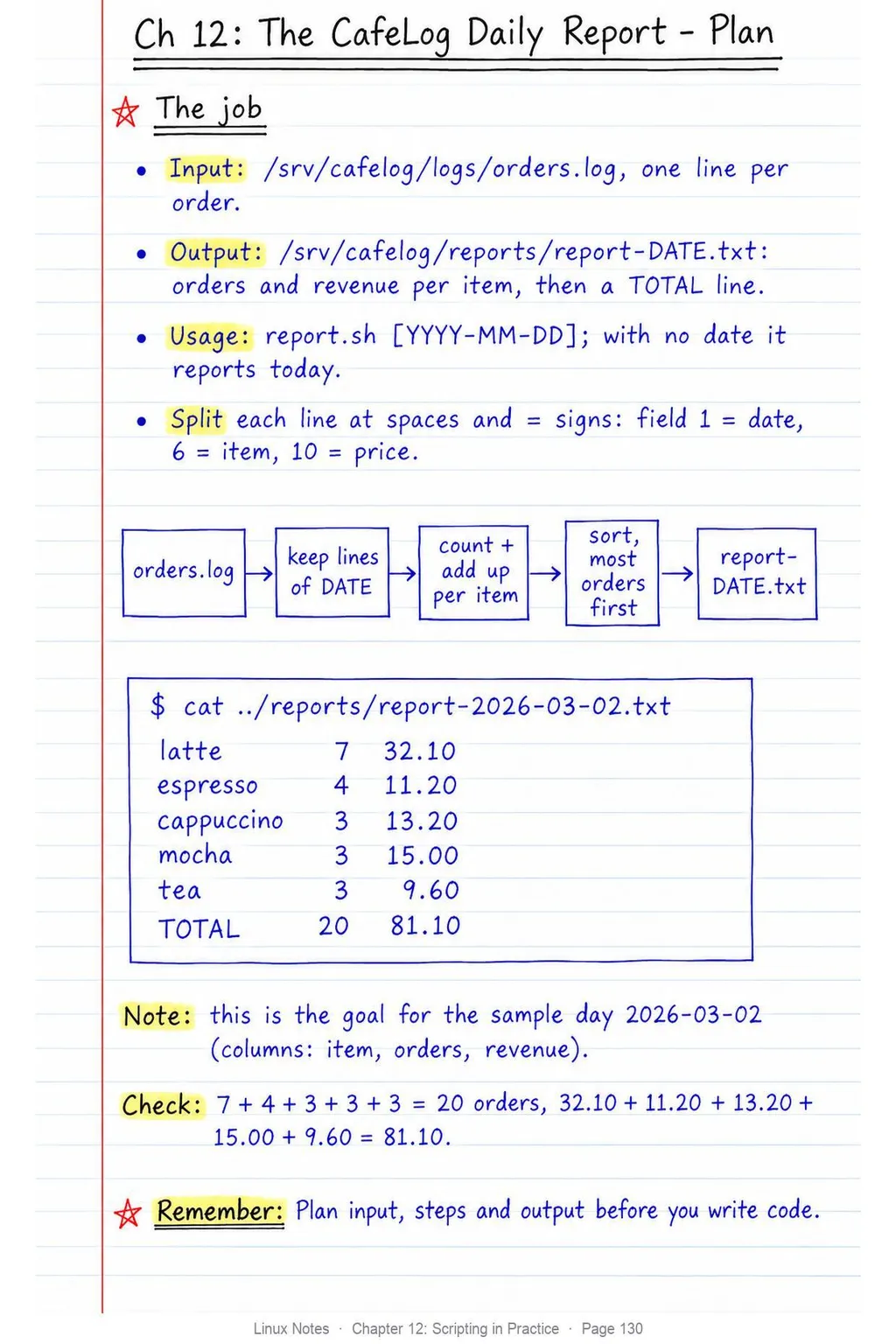
Build a real script, the CafeLog daily report: plan and full report.sh, arrays, string operations, here documents, getopts options, trap cleanup, debugging with bash -x and shellcheck, and a script checklist.
Understand disks and filesystems: partitions and block devices, MBR versus GPT, ext4, xfs, btrfs and tmpfs, mkfs on a loop device, mount and umount, /etc/fstab and UUIDs, df and du, inode exhaustion and swap.
Run services with systemd: how Linux boots, unit types, systemctl, enable and disable, service unit anatomy, a cafelog.service, Restart, User and WorkingDirectory, targets, journalctl and fixing failed starts.
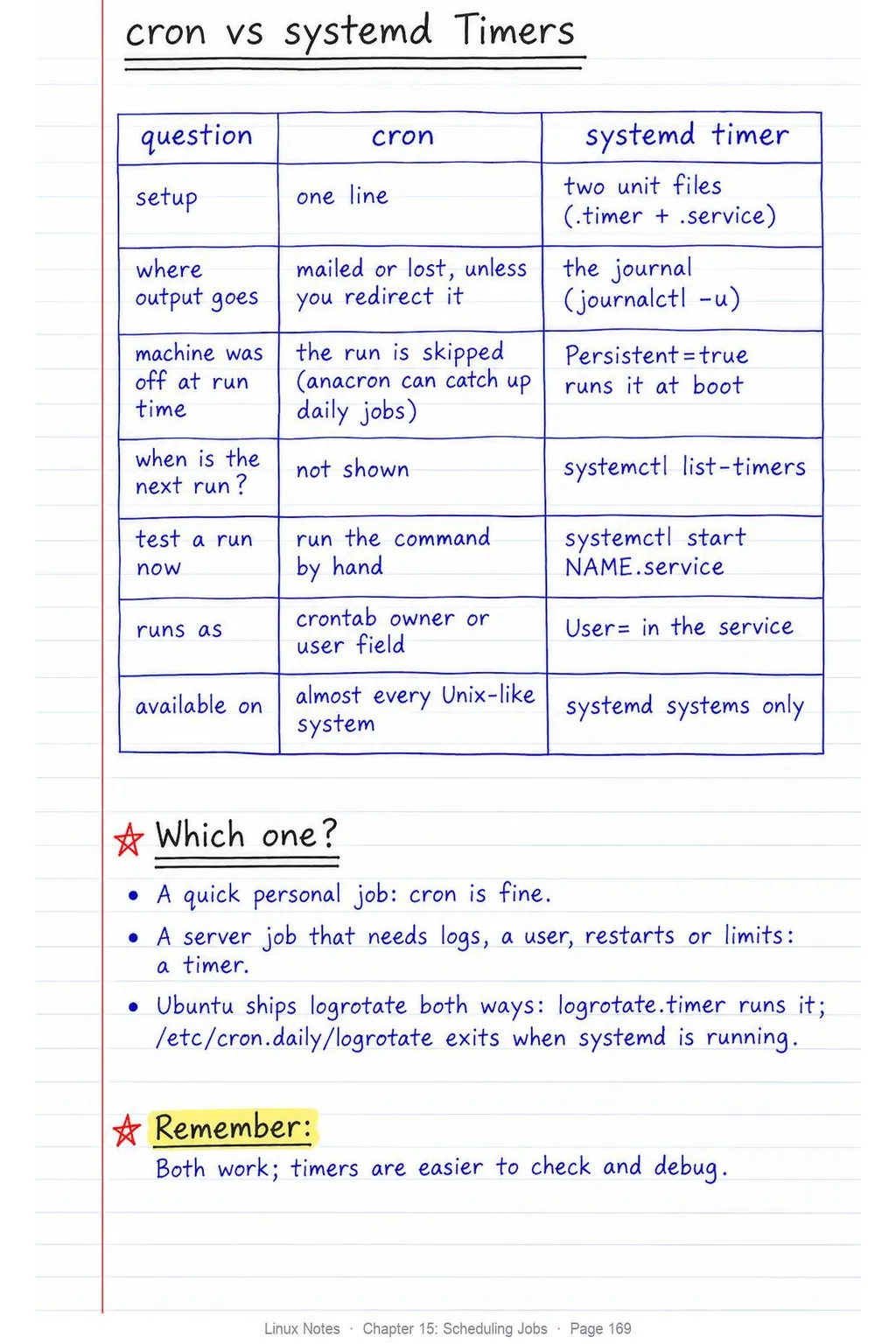
Schedule jobs with cron and systemd timers: the five time fields, crontab, schedules, common pitfalls, /etc/crontab and /etc/cron.d, a timer for the CafeLog report, cron versus timers and at for one-off runs.
Read logs and monitor a server: /var/log, journald and rsyslog, logrotate for CafeLog logs, dmesg, uptime and load average, free, vmstat, iostat, top, htop, iotop, nethogs and what to watch.
Learn networking basics: IP addresses, subnets and CIDR, ip addr and ip route, DNS, /etc/hosts and resolv.conf, dig, ping and traceroute, ports, ss -tulpn, curl, nc and serving CafeLog on port 8080.
Log in remotely with SSH: what happens on connect, ssh-keygen, authorized_keys and ssh-copy-id, ~/.ssh/config, scp and rsync, ssh-agent, port forwarding with -L and -R, sshd_config hardening and tmux sessions.
Secure a server: least privilege and defence in depth, what a firewall does, ufw, iptables and nftables, fail2ban, SELinux and AppArmor, finding risky files, security updates with unattended-upgrades and a hardening checklist.
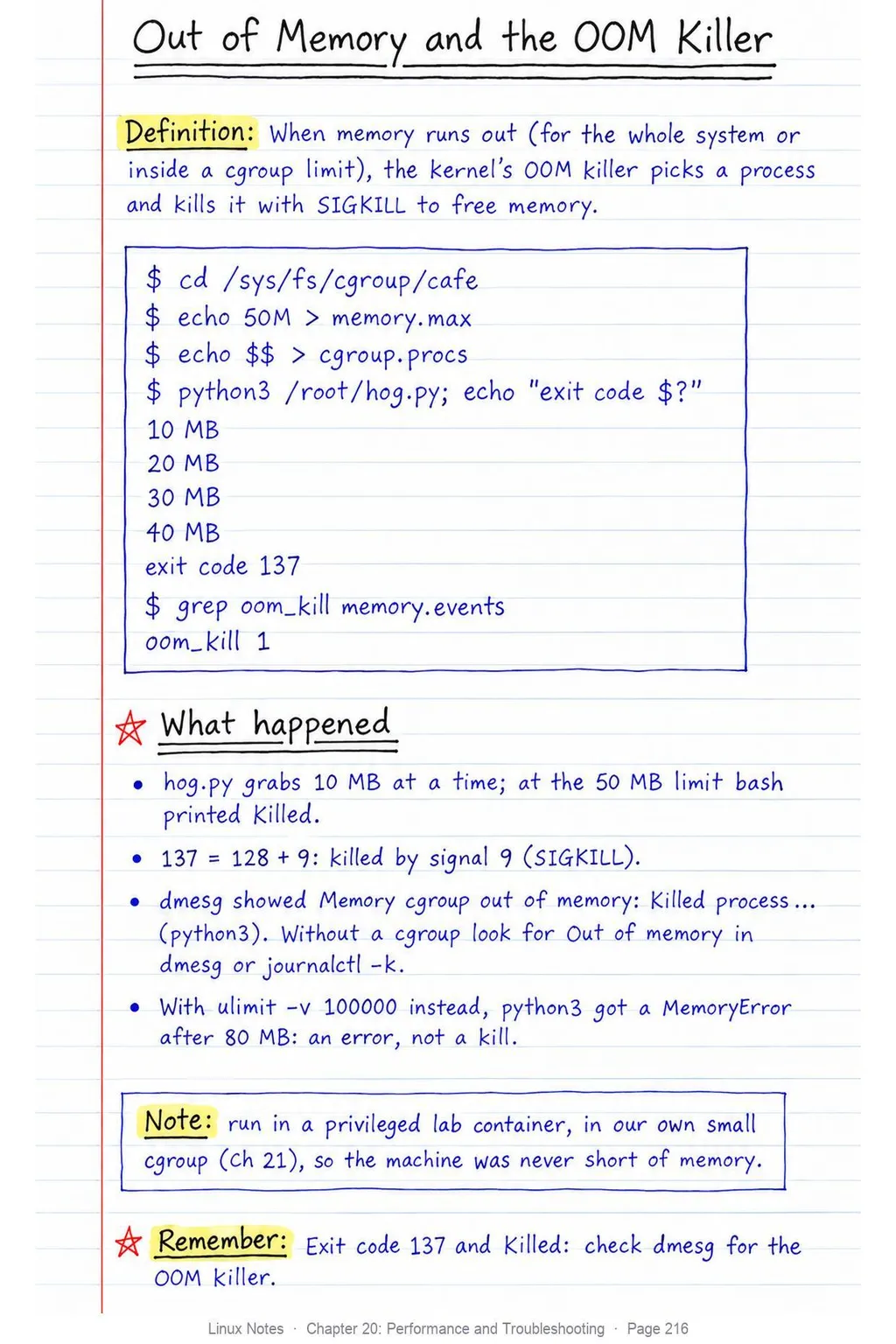
Troubleshoot performance problems: a troubleshooting method, high CPU, out of memory and the OOM killer, finding what fills the disk, lsof, ulimit and open files, connection checks, strace and a symptom to command table.
Look under the hood: user space, kernel space and system calls, /dev, /proc and /sys, file descriptors, fork and exec, namespaces, cgroups, how Docker uses them, kernel modules and GRUB parameters.
Finish with a capstone: set up CafeLog on a fresh server with a user, folders, permissions, service, timer, logrotate and firewall, then use troubleshooting, cheat sheets, common mistakes, interview questions and next steps.
Watch before you buy
Students on All Notes PDF
Real students talking about how they revise with our handwritten notes.
How it works
Get your notes in 3 easy steps
No app, no waiting. The whole thing takes under a minute.
- STEP 110 sec
Choose your notes
One subject, any two, or a full class set.
- STEP 230 sec
Pay with UPI or card
GPay, PhonePe, Paytm or card. Pay once, no subscription.
- STEP 3Instant
Download your PDFs
Tap Download on any chapter. Links never expire.
- Log in
- My library
- Download
What you get
- Format
- Downloadable PDF (not a printed book)
- Chapters
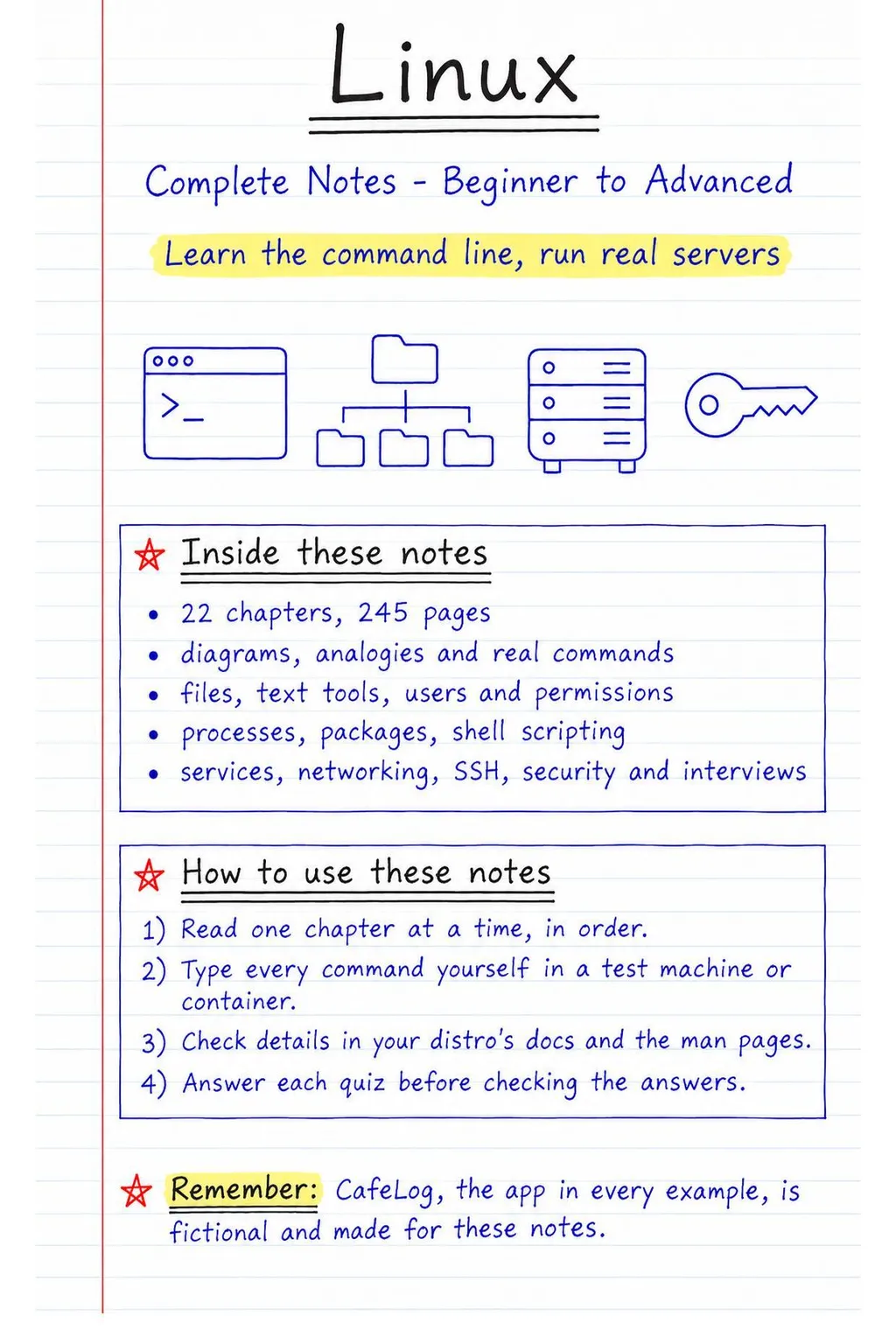
- 22 chapters in one 245 page PDF
- Level
- Linux from beginner to advanced. No experience needed
- Style
- Handwritten-style notes with diagrams, code explained line by line, common mistakes and quizzes
- Devices
- Phone, tablet and laptop. Print any chapter if you like
- Access
- Lifetime. Download again anytime from My library
- Instant downloadRight after payment
- Free updatesCorrections added free
- Secure paymentUPI, cards, net banking